
tCalendar is a scheduling tool built into Telegram
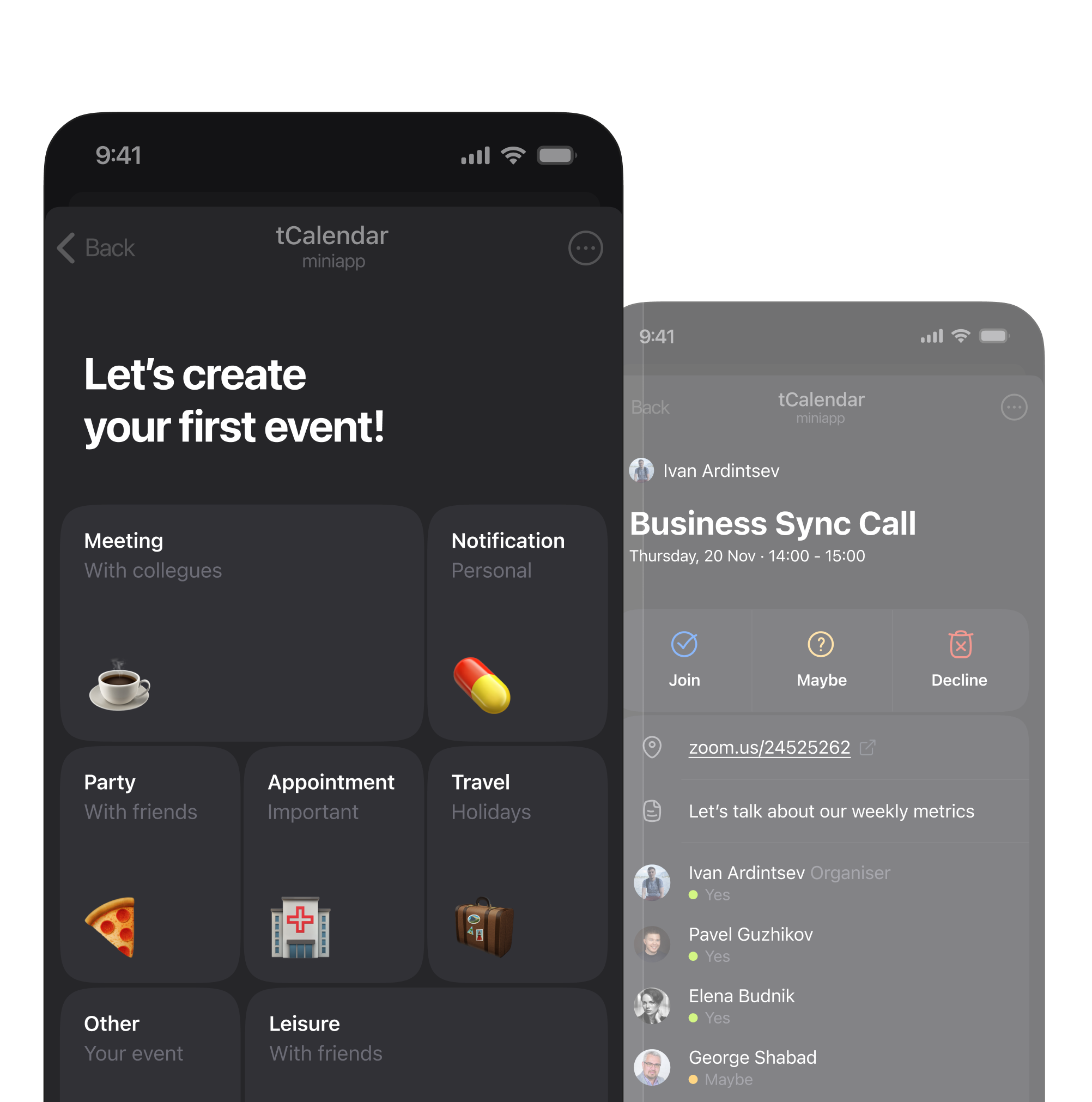
Introduction
Telegram is used daily by hundreds of millions of people. For many, especially in the CIS region, it is the main place where work and personal coordination happens.
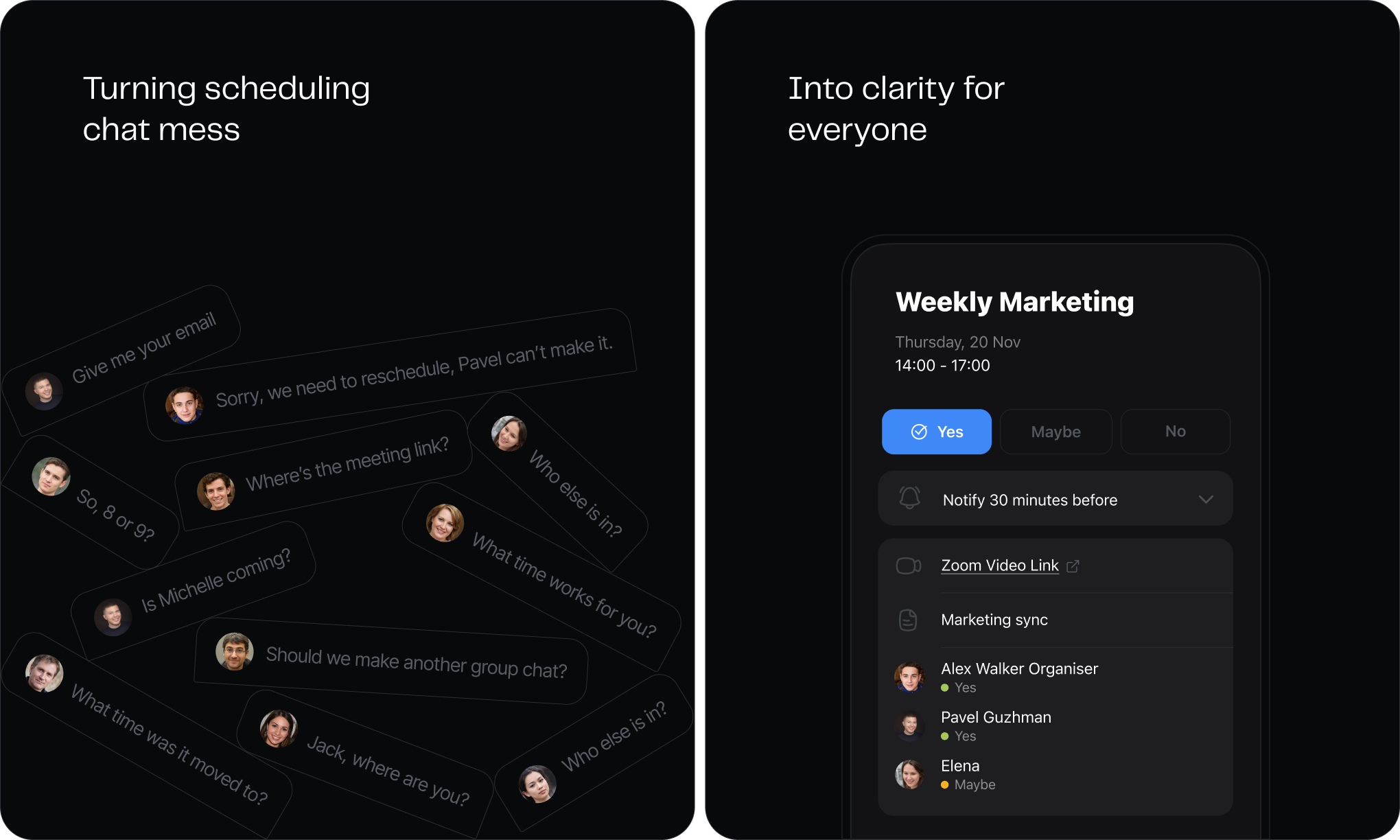
Scheduling in chats is messy. Even simple plans turn into long message threads, and important details get lost. Telegram has no native way to create and manage events.
Timeline
2024 – Present
Role
Founder
Responsibilities
Product concept, Product design and management
Results in 12 months
Over the first 12 months, tCalendar grew into a product with consistent, repeat usage. I tracked behavioural signals: how often people opened the product and whether they came back to create events again.
Total events created
Monthly active users
Daily app opens
Events from returning users
Where the idea came from
Telegram Mini Apps started growing. I read about it online, and through private channels I heard Telegram was sharing traffic and promotion with good utility apps, not crypto junk.
I spent a long time figuring out what Telegram was actually missing, something that would fit it naturally. There were tons of options, from tarot cards to a to-do list.
I narrowed them down to a few things. The product had to fit how people already use Telegram, spread through sharing, and grow without heavy marketing or B2B sales.
Looking for the right problem
I sat in chats where people set up work calls, and the same things kept breaking. Nobody knew when a meeting got moved. The real Zoom link was buried somewhere in the thread. Nobody was sure who was actually coming. People from different companies traded email addresses in the chat just to set up a call, while already talking right there.
People are in Telegram all day, so an event there is hard to miss. A calendar is the obvious fit.
Building the First Version
I built the first version around one flow: create an event, share it, join it. One bet to test: would people use a shared event instead of sorting things out in messages?
A proper calendar grid was tempting. It's what people recognise. But it would have taken months and solved the wrong problem: people just needed a shared event.
So I built it around a simple event list. It opened on what was happening today and next, so upcoming events were visible right away.
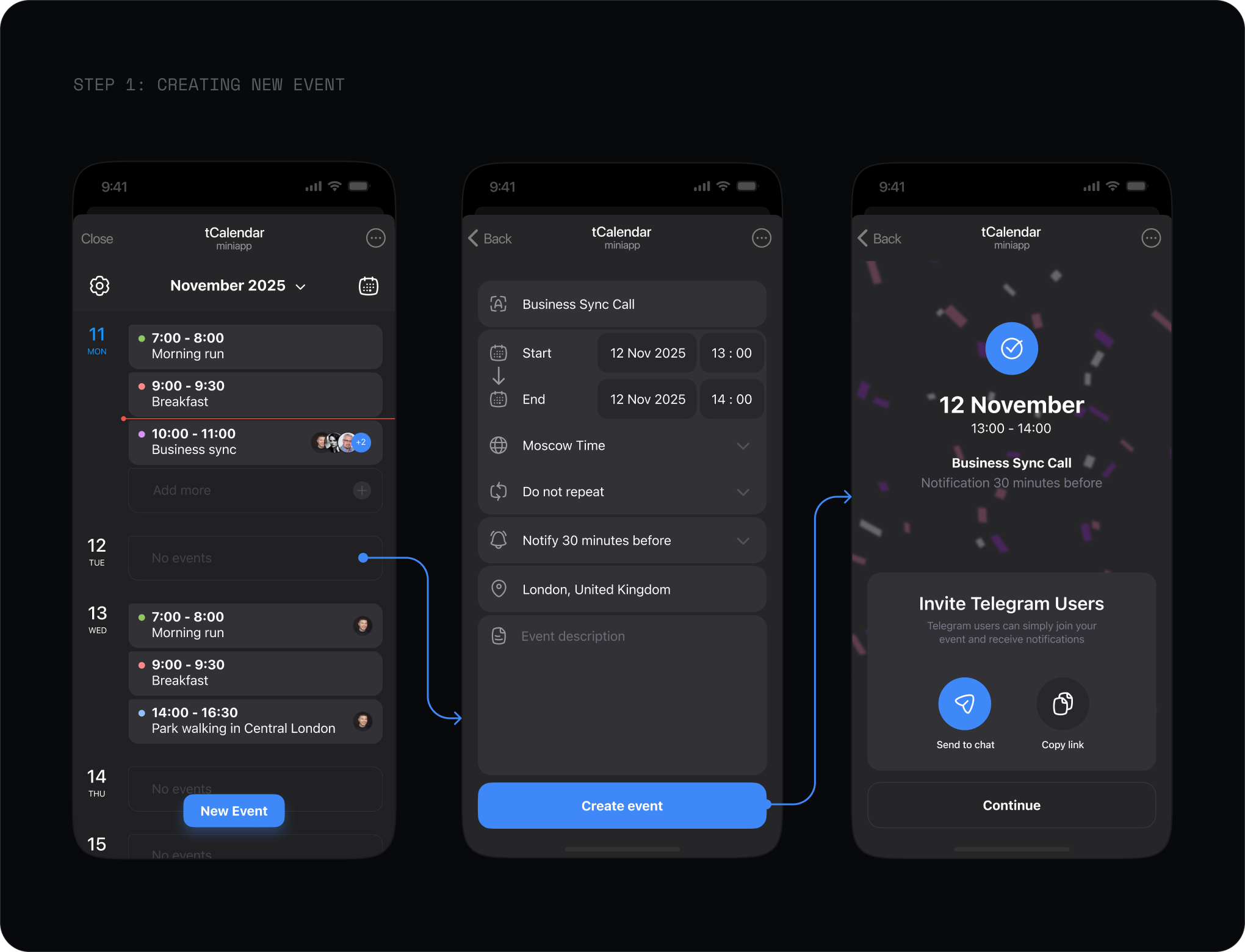
You could drop an event into a chat, share it as a link, or keep it private for things like workouts or reminders.
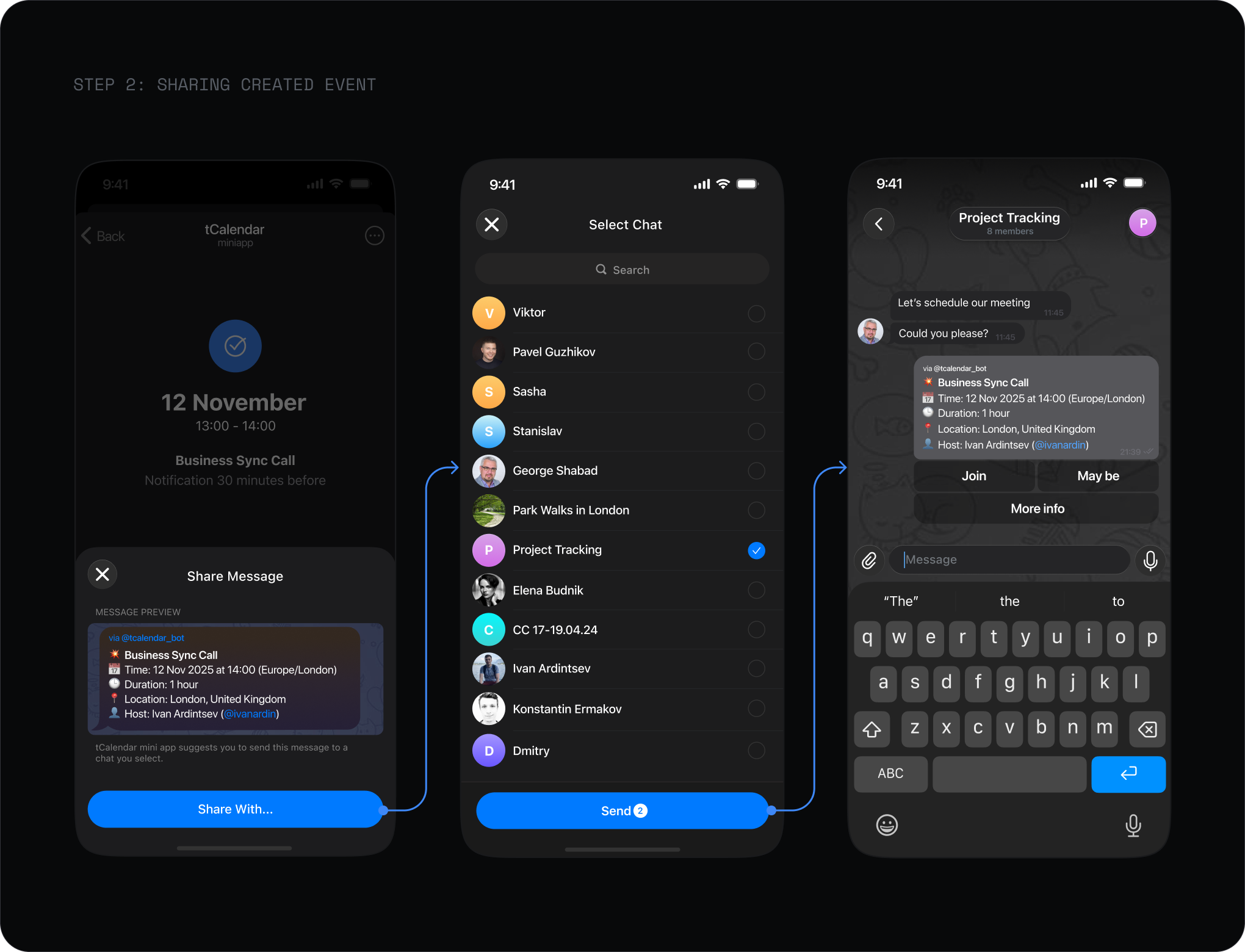
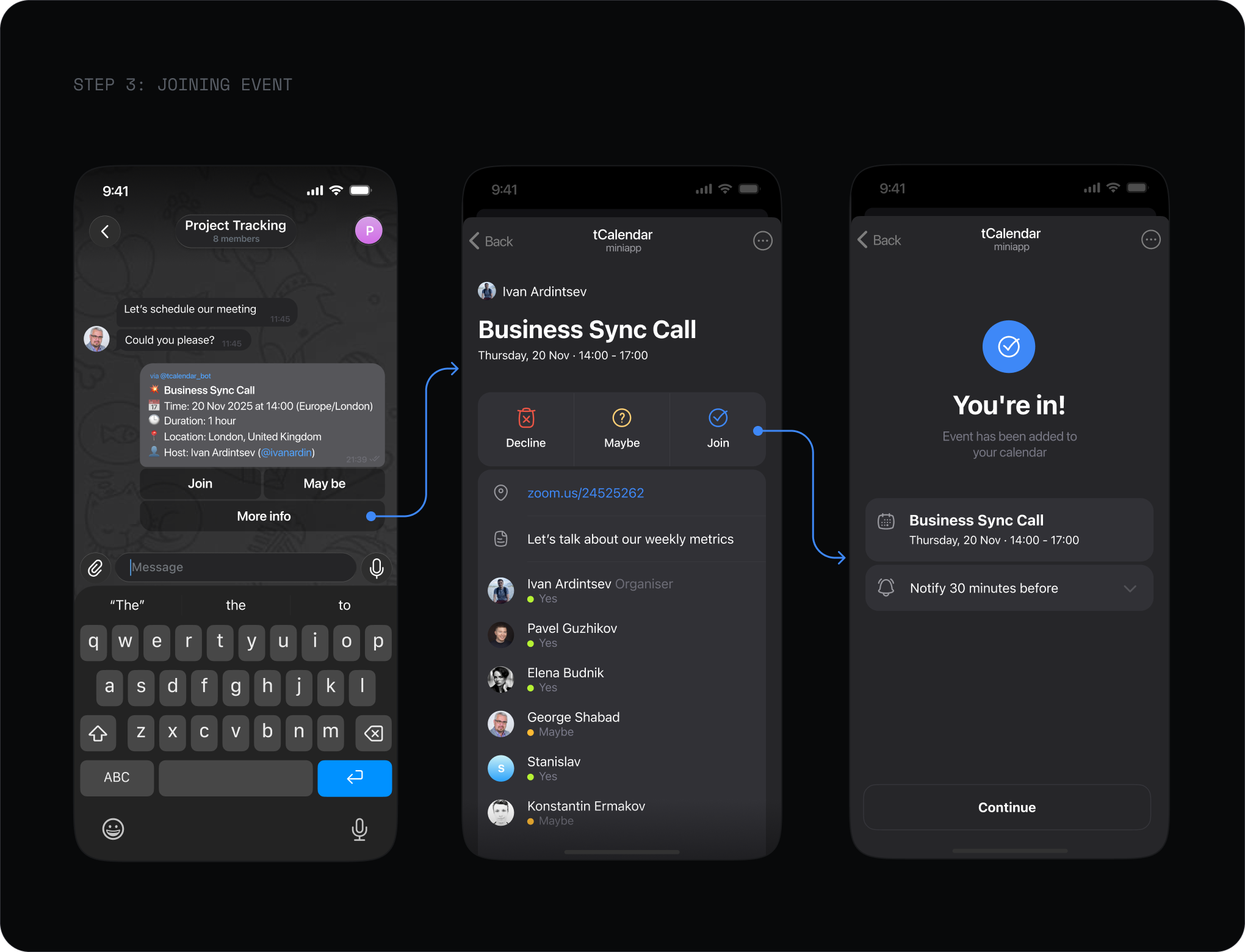
For participants, opening a shared event was enough to join. No emails, passwords, or registrations. The account was created automatically from their Telegram, so moving from a chat into the calendar took no extra steps. Everyone had the same event to check.
Friends & Family
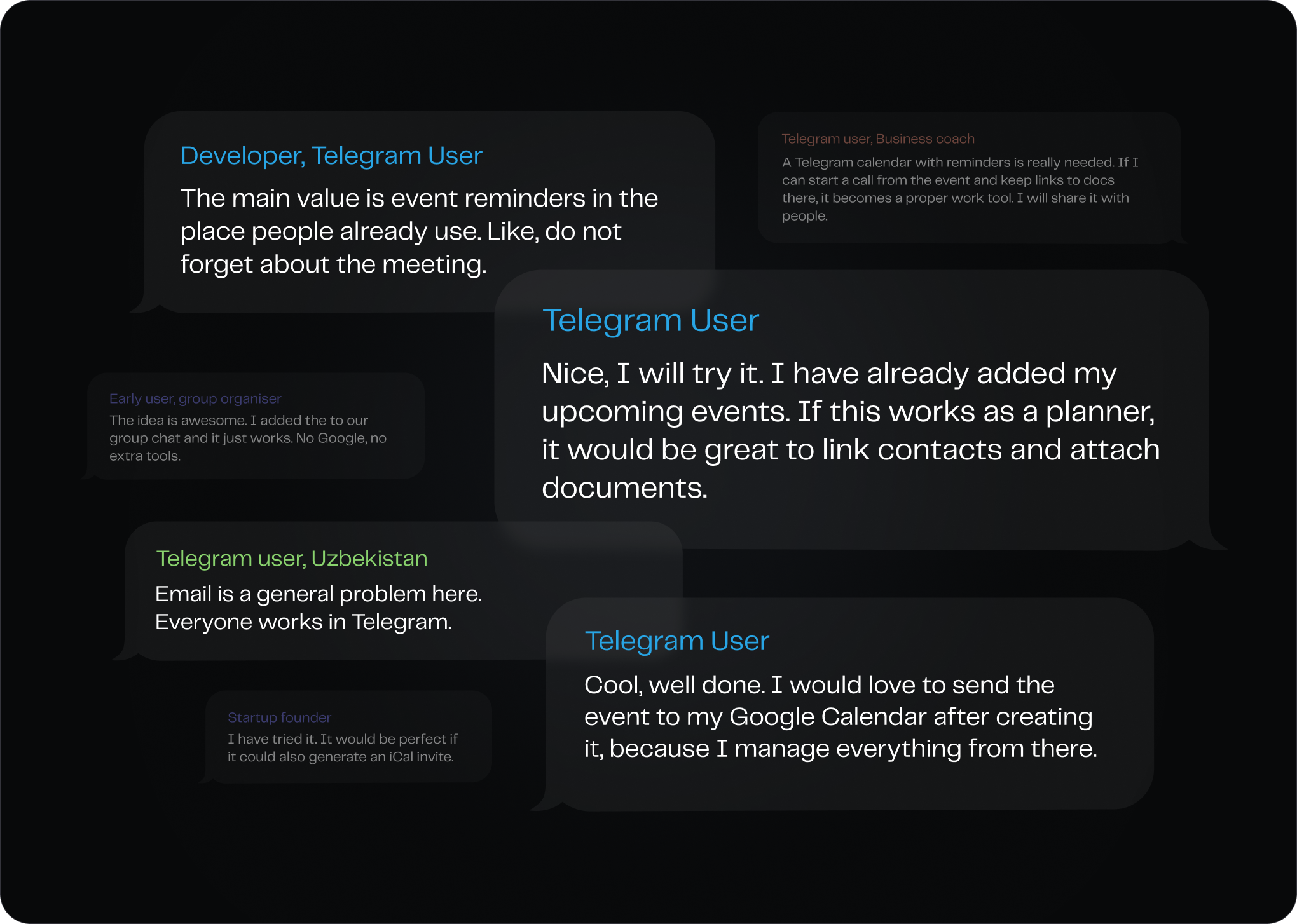
I shipped the first version and sent it to friends, former colleagues, and people I knew from Telegram. Reactions were mixed. Some were genuinely into it and started using it right away. Others didn't see the point: Google Calendar or Calendly was enough for them. The usual split. But the positive side won, and real usage started.
One timeline
People can use several calendars, but their day is still one timeline. Even before testing, most active users already had a primary calendar, usually Google. Early feedback confirmed it.
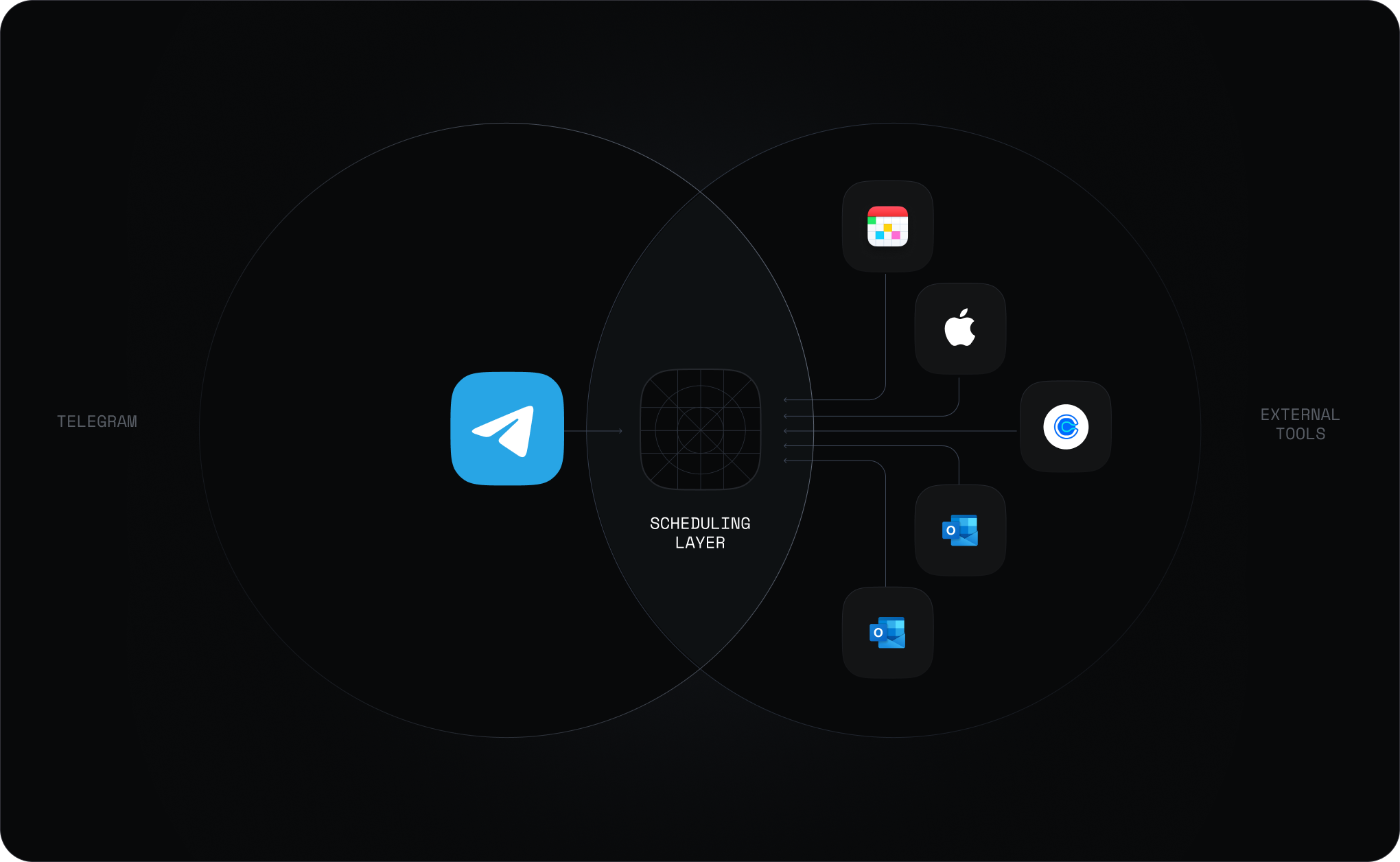
I never planned to compete with Google or replace anyone's main calendar. To fit into everyday work, tCalendar had to stay in sync with the calendars people already used.
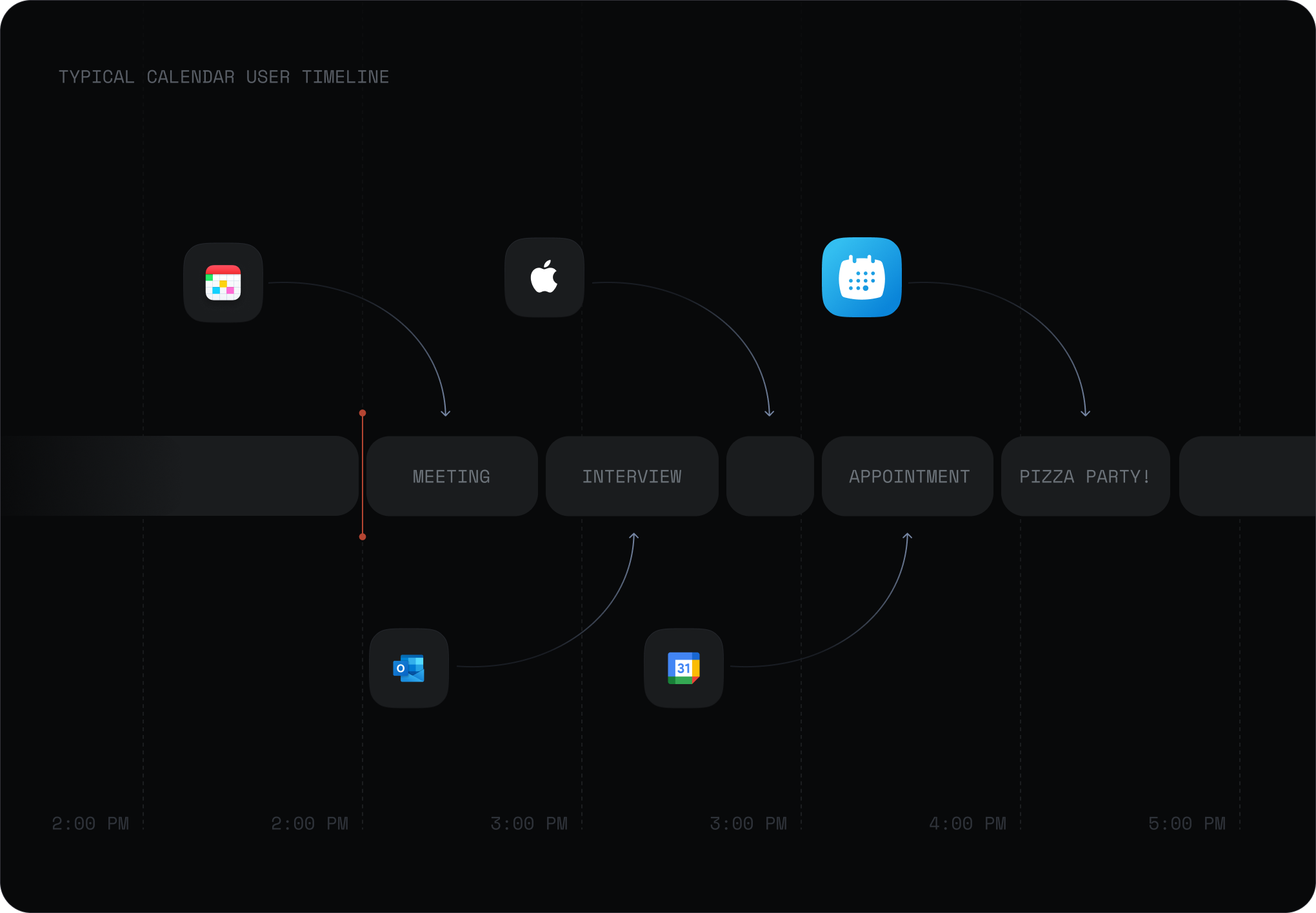
Events from Google came in read-only. Events created in tCalendar synced back. That kept tCalendar from becoming just another way to manage Google Calendar, and kept both timelines in sync.
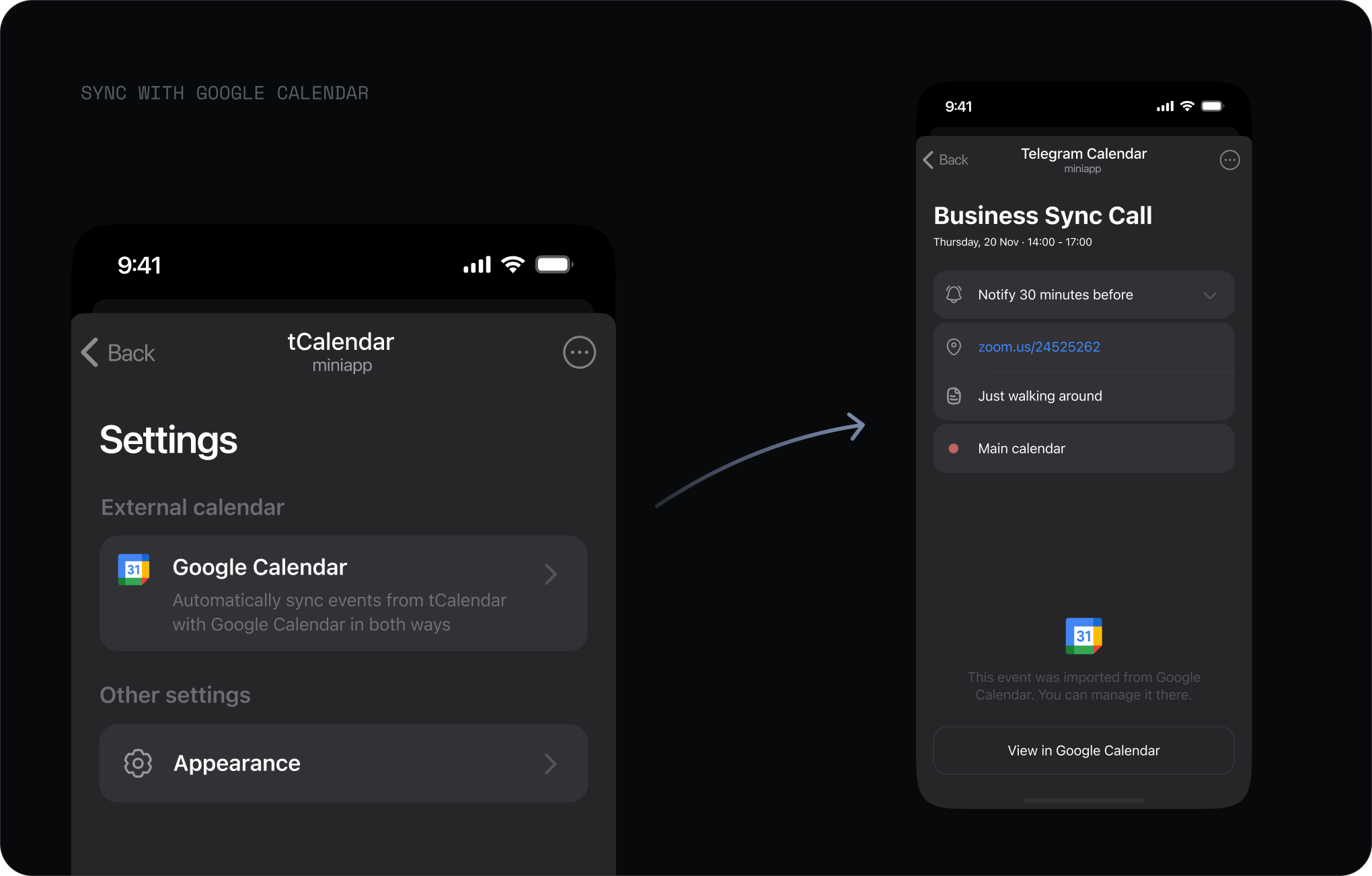
52% of active users connected Google Calendar within the first month of the feature. Faster adoption than anything I'd shipped before.
Share of users connected Google
Meetings rarely happen with strangers
Most meetings happen with the same people, at work and outside it. The same names got invited again and again, and re-inviting them through a shared link every time was clumsy. So I added a way to invite people directly while creating an event.
Share an event with someone once, and next time they show up in your invite list. That keeps the full list of tCalendar users hidden and invitations private by default. Ideally it would use your contact list, but Telegram's API doesn't expose contacts, so people only connect through events they share.
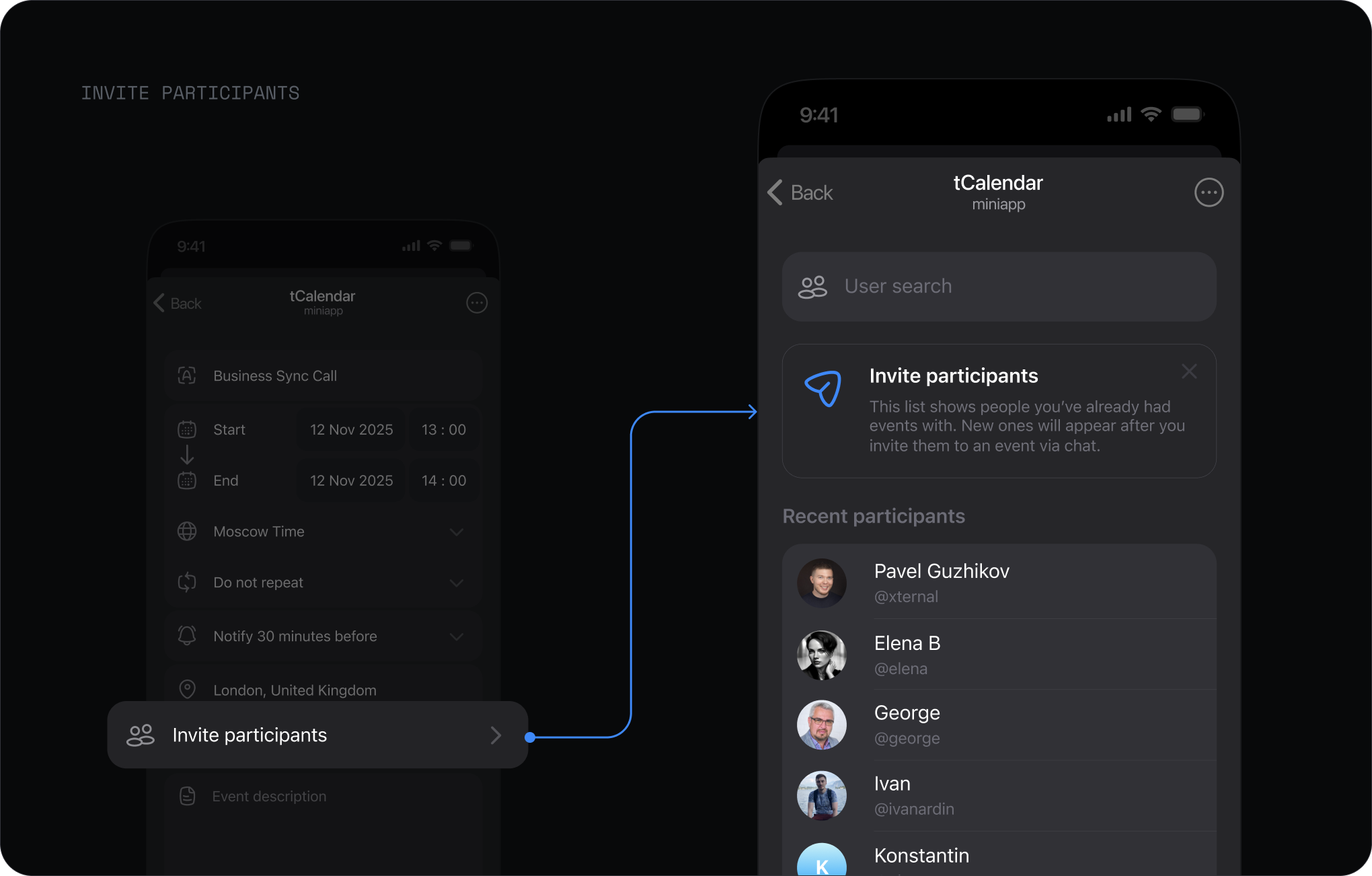
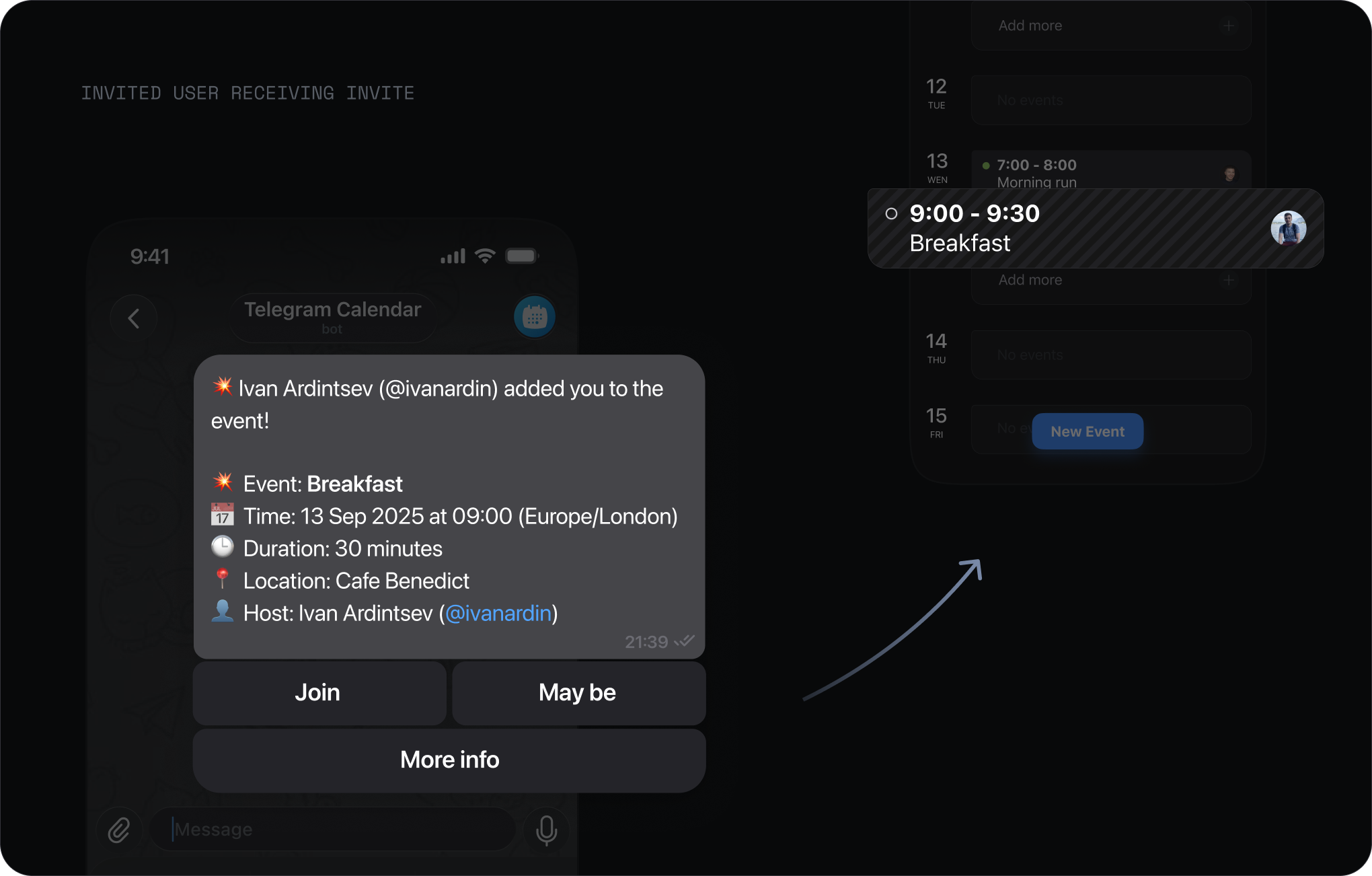
Once you add someone and create the event, they get an invite from the mini app, and it lands in their calendar to accept or decline.
Organising a group meeting got faster. Add people in a few taps, no more dropping a link in a chat and waiting. Everyone sees who's invited before anyone accepts, so the whole group knows where things stand.
Events created with invites
When scheduling turns into message ping-pong
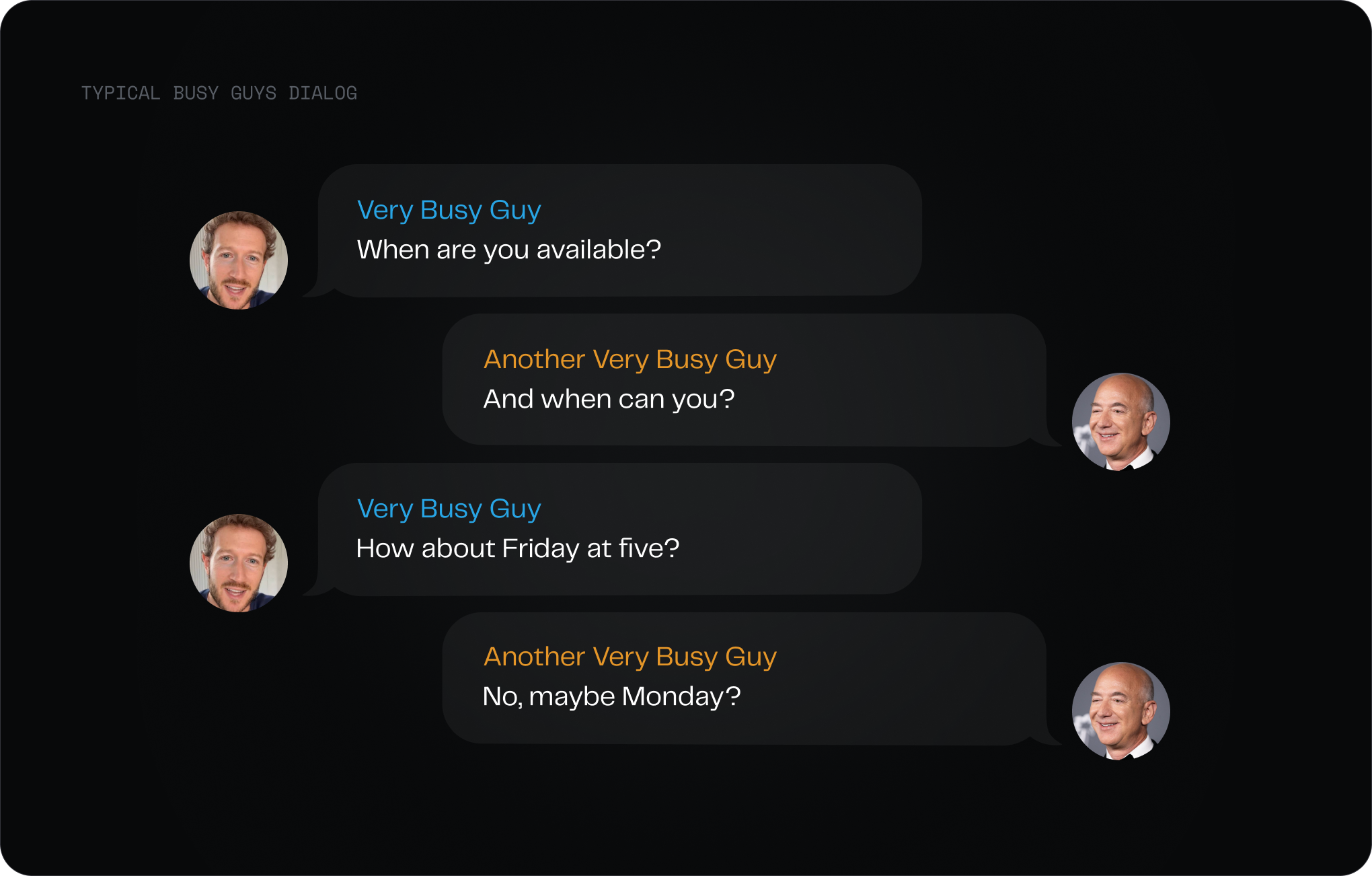
I watched therapists and coaches in our community create an event, then spend ten messages negotiating the time anyway.
This happened in everyday work chats too, and worst of all for people who sell their time in Telegram: tutors, therapists, coaches, anyone who needs to be booked. People needed a simple way to say: this is when I'm available.
Turning availability into a link
The organiser sets a weekly schedule, picks a slot size, and connects a video link. That produces a personal booking page.
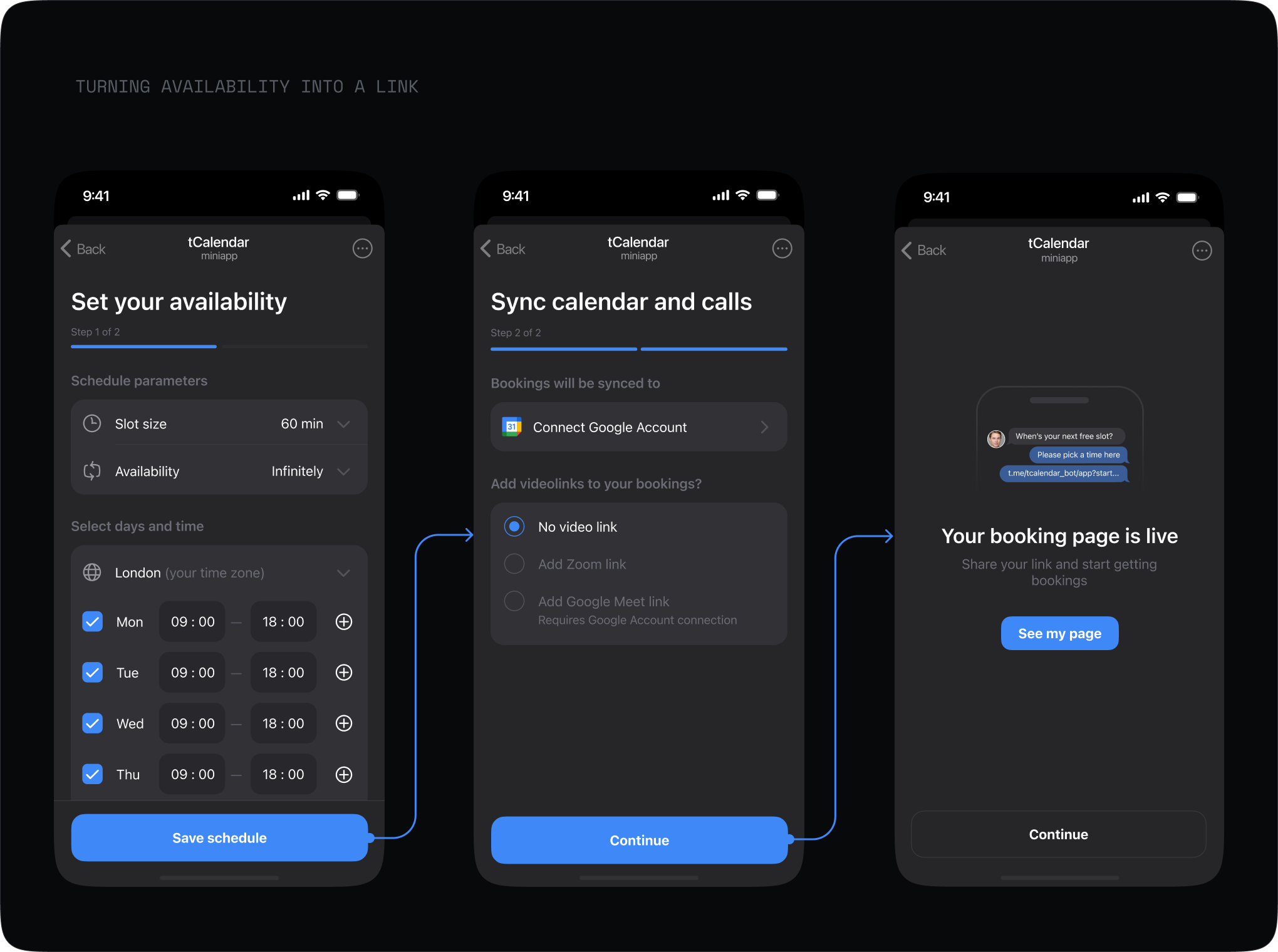
The organiser drops the link in a chat. Anyone opens it inside Telegram, picks a time, and the meeting is booked. No emails, phone numbers, or yet another account.
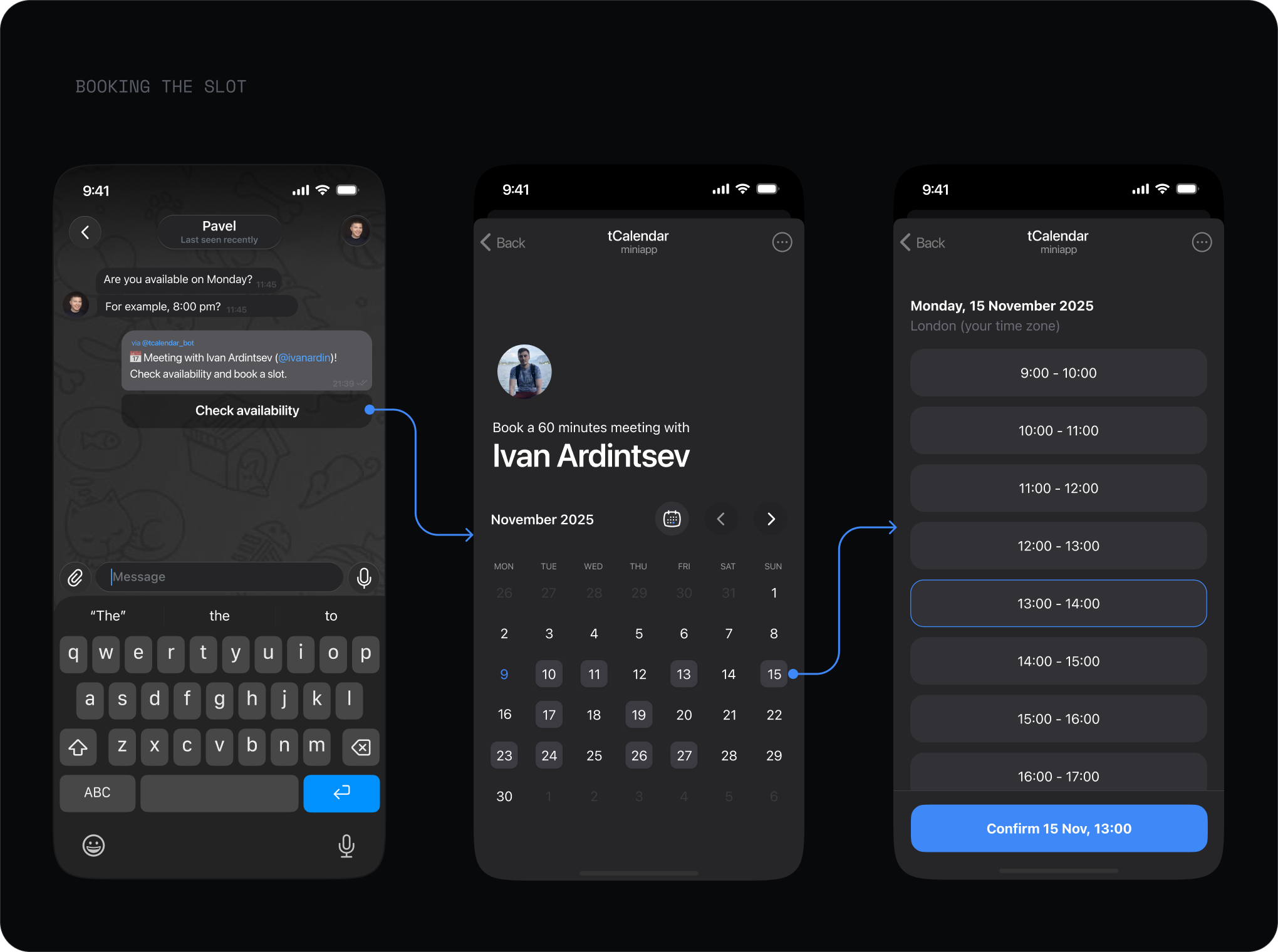
Availability and booking were built for a narrow group: people who schedule a lot. It never became a mass feature, but the people who needed it used it steadily.
Organisers who accepted bookings
Users who booked slots
Spread the event
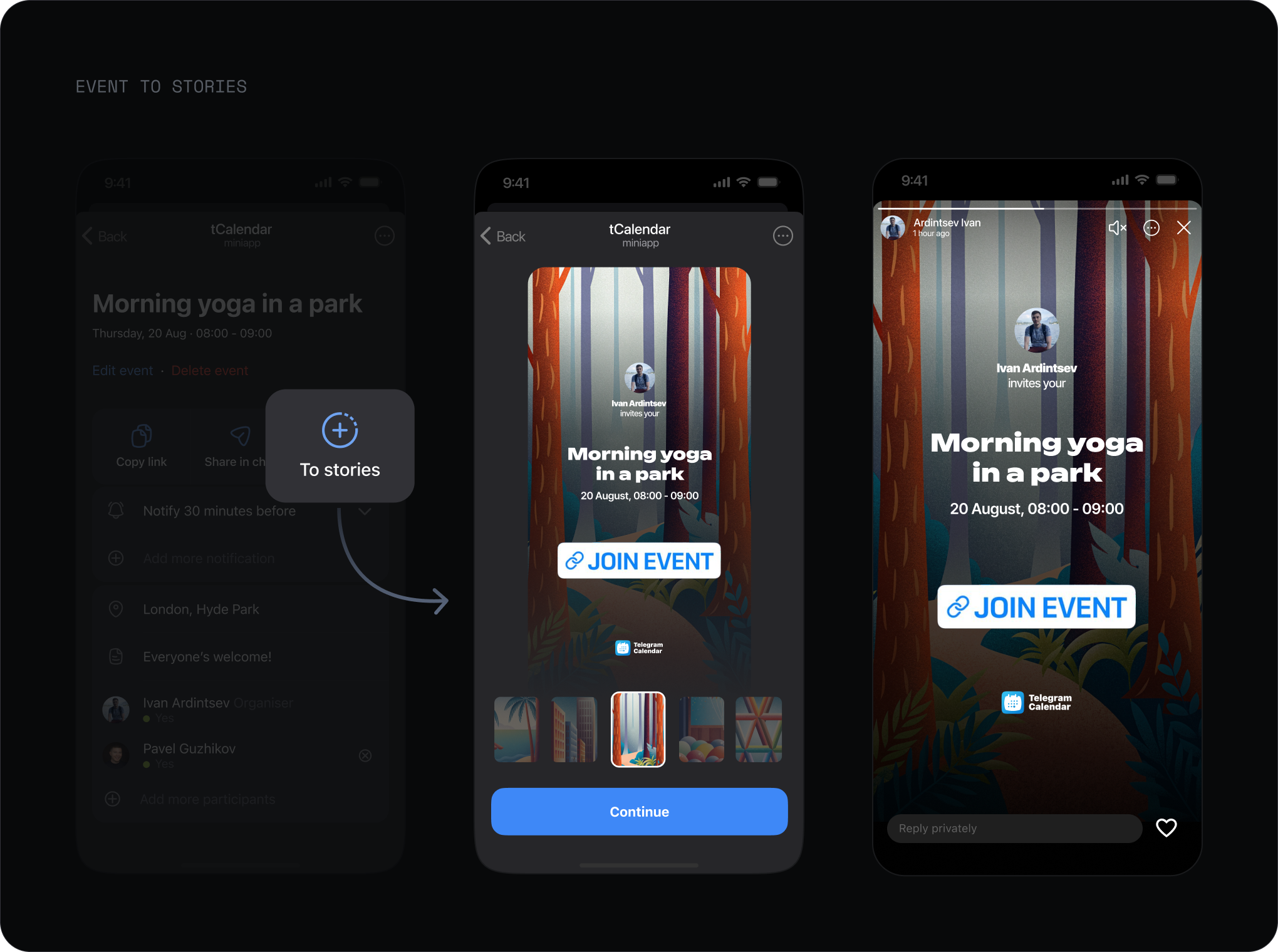
For public events, the organiser can post straight to Telegram Stories. The event reaches more people without a landing page or external links to manage.
Where it is now
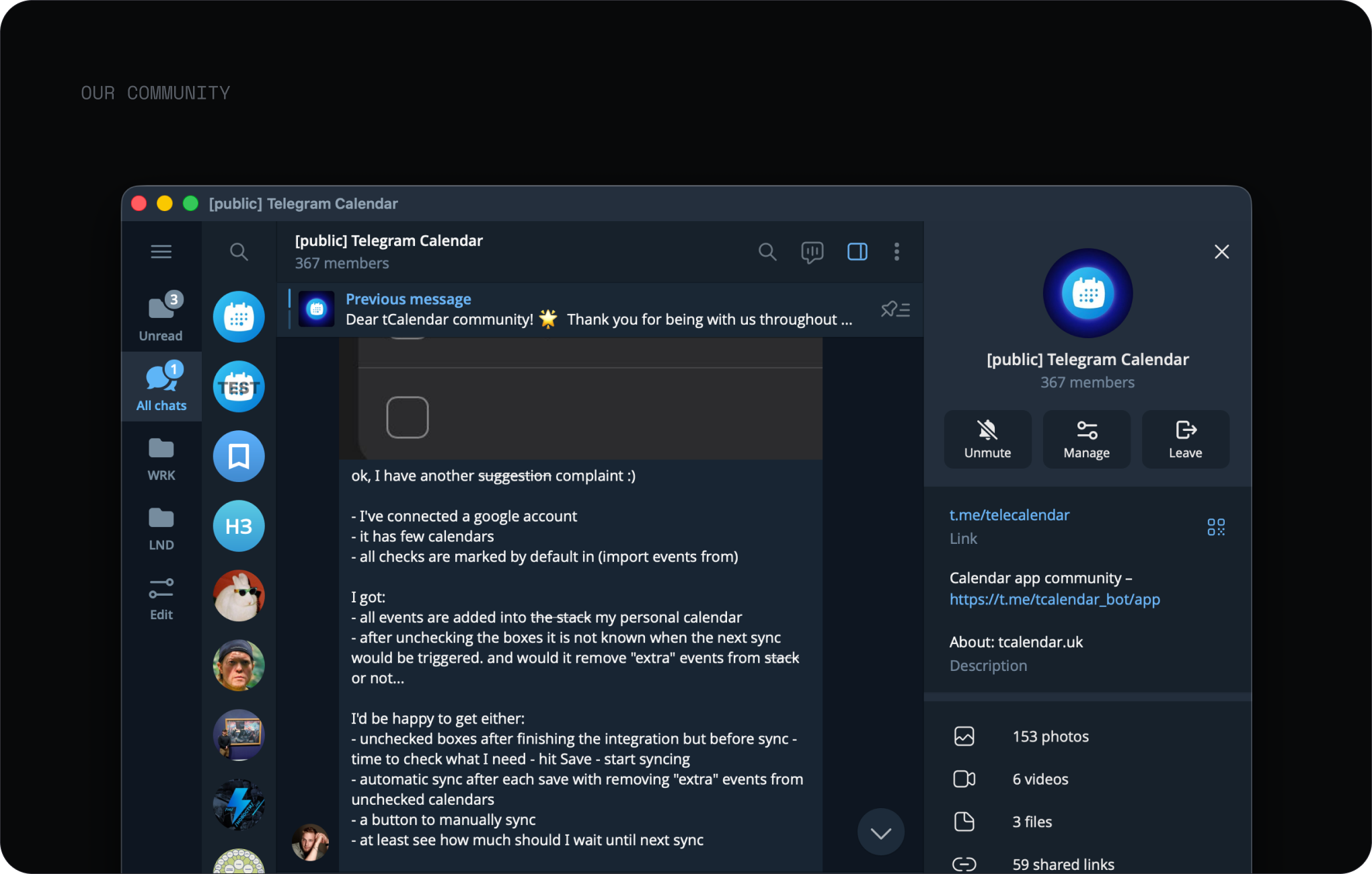
Almost 400 people from different countries gathered around the mini app. They share ideas, report bugs, and talk about how they use it. Requests from this community turned into a paid subscription, which brought the first paying users.
Not everything worked. Along the way I built Stacks: a public calendar a group could subscribe to, with notifications about new events. Users didn't get it. They kept asking how to add the bot to their group chat instead, so I stopped investing in Stacks and left it running for the few who use it.
Building on a parent platform is risky. Big companies change their plans, and promised features don't always ship. The promotion Telegram once offered utility apps never came: in over two years, developers still have no discovery tools. I eventually paused the project, but the calendar kept growing without active development. People still use it and keep inviting each other.
